How Tradespeople Can Stop Quoting in the Evenings (And Win More Work)
If you are a builder, plumber, electrician, or landscaper, you already know the hardest part of the job isn’t the physical work. It’s the endless administration.
You spend all day on the tools, only to spend your evenings catching up on paperwork, typing out quotes, and chasing deposits. By the time you get a price over to a potential customer, they might have already gone with a competitor who replied faster.
At Archline Digital Solutions, we build custom quoting and job management software for tradespeople across Chippenham, Melksham, Calne, Corsham, Swindon, Wiltshire, Bath, and Bristol. Here is how upgrading your workflow can help you reclaim your evenings and get paid faster.
By Ryan Nicholls, founder of Archline Digital Solutions ·

Problem
The Problem: Where Does Your Week Leak?
Most owner-run trade businesses lose hours every week to a broken process. We call this "where the week leaks." It usually looks like this:
- Writing down notes in a van, then re-typing them into a Word document at home.
- Losing track of which quotes have been opened, accepted, or ignored.
- Generating invoices manually from scratch for jobs you’ve already priced.
- Missing out on new enquiries because you were too busy to answer the phone.
If your current process bends your day out of shape, it’s time to change the software, not your working hours.
Solution
The Solution: Quote From the Customer’s House
The fastest way to win a job is to give the customer a professional, accurate price before you even drive away from their house. A dedicated mobile quoting tool allows you to do exactly that.
Here is how a streamlined quoting process works:
1. Say It, Price It
Instead of waiting until you get home, open your quoting tool on your phone and pick the job. Your job types and the wording for each are set up for you, and you can rewrite the scope of works for this customer. Depending on how your tool is set up, the price is worked out from your own rates or typed in by you. Either way, you set the price.
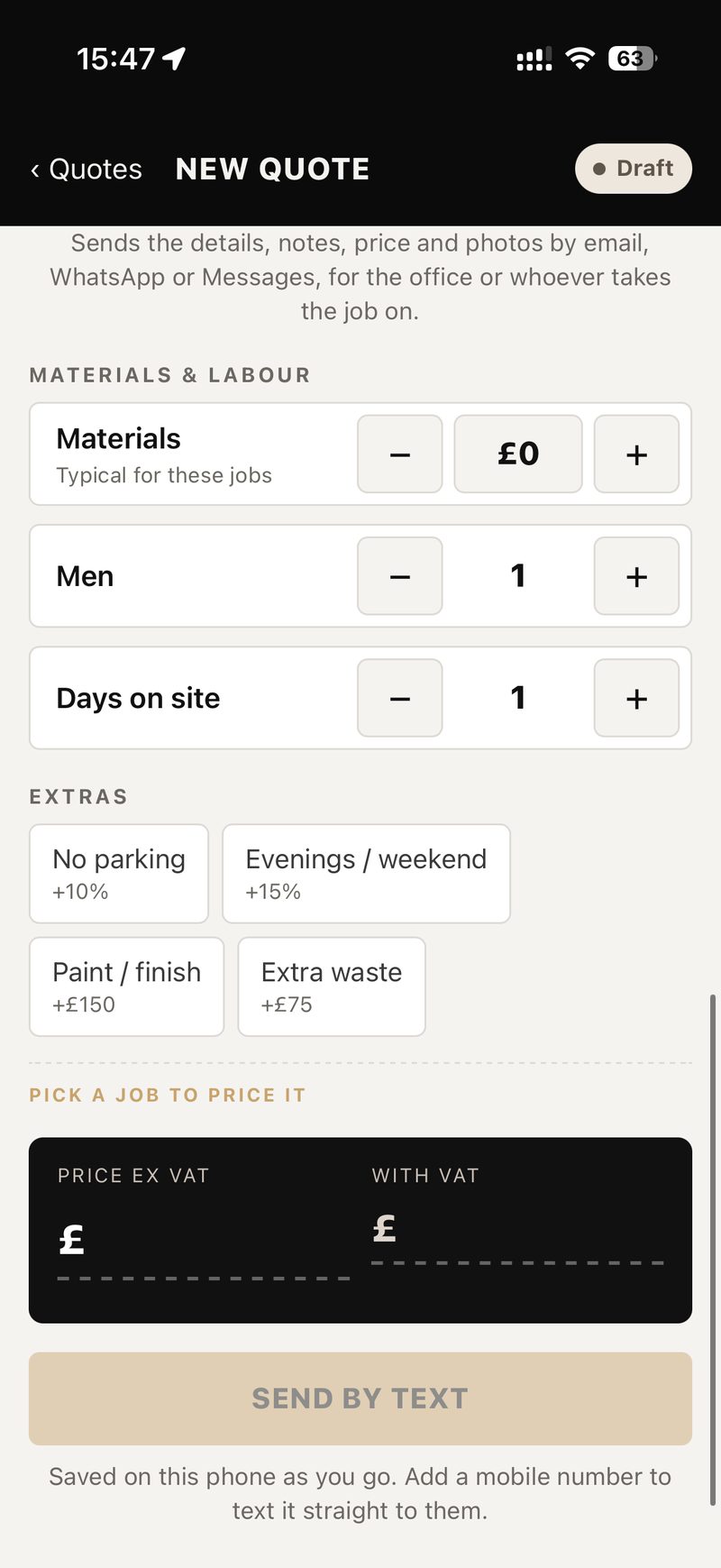
Every tap saves on your phone as you go, so losing signal doesn't cost you your progress. The quote sends when you have signal again.
2. Take Notes and Dictate Details
On the Full plan, you can say the job into your phone, or type it, like "alcove units both sides of the chimney, painted white". AI turns your rough notes into a short, friendly summary for the customer, and you check and edit it before it goes on the quote. It writes the summary, not the price, and it needs signal. On Pro and Full you can also keep job photos with each quote, for you and your team. Customers do not see them. No more scrambled paper notes or forgotten details.
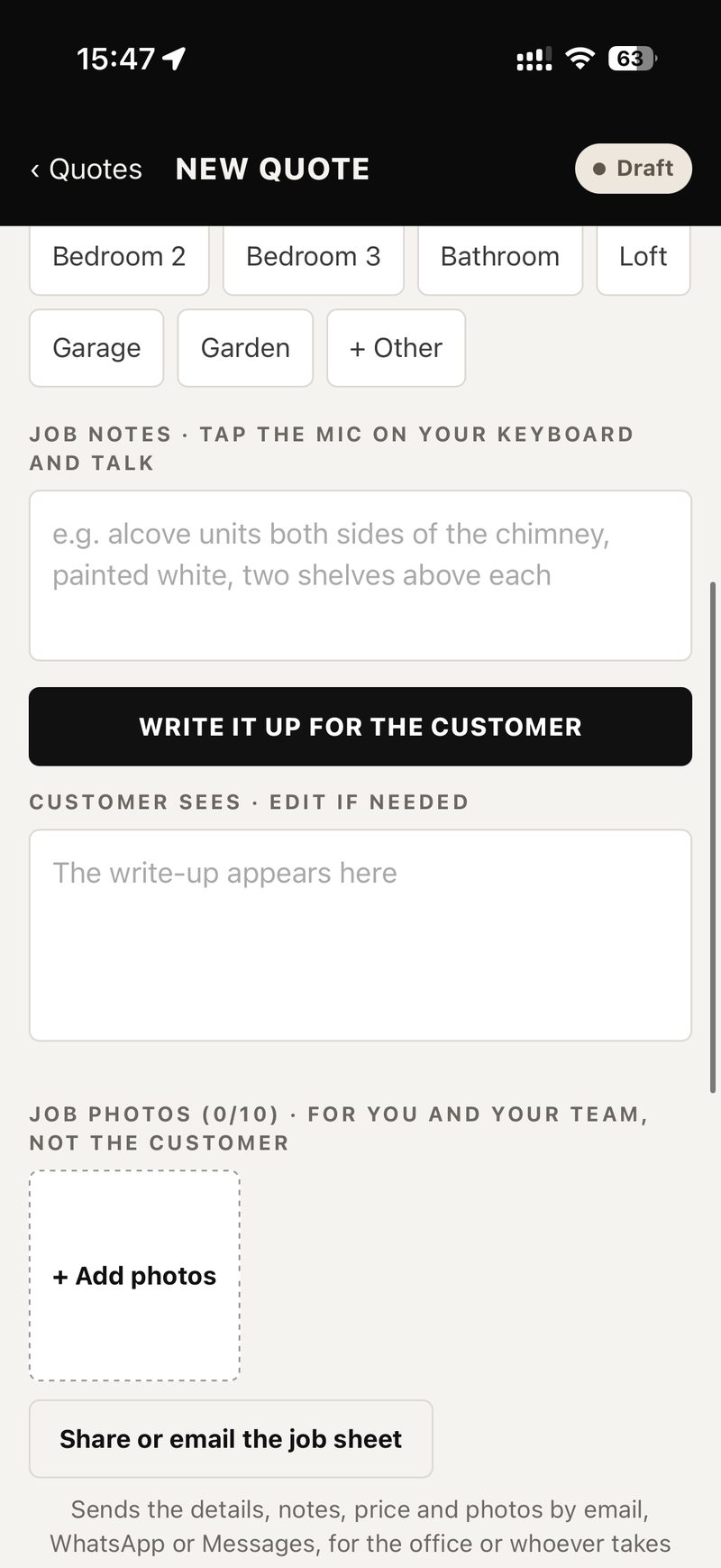
3. Send and Get It Accepted Instantly
With one tap, your phone opens its own Messages app with the quote link filled in, and you press send. You can paste the same link into WhatsApp if you prefer. Nothing reaches a customer unless you send it. What the customer sees is one clear page: your scope of works, one price (not an itemised bill), VAT if you charge it, and your deposit terms. They accept with a single tap, and you can see when it was opened and when it was accepted.
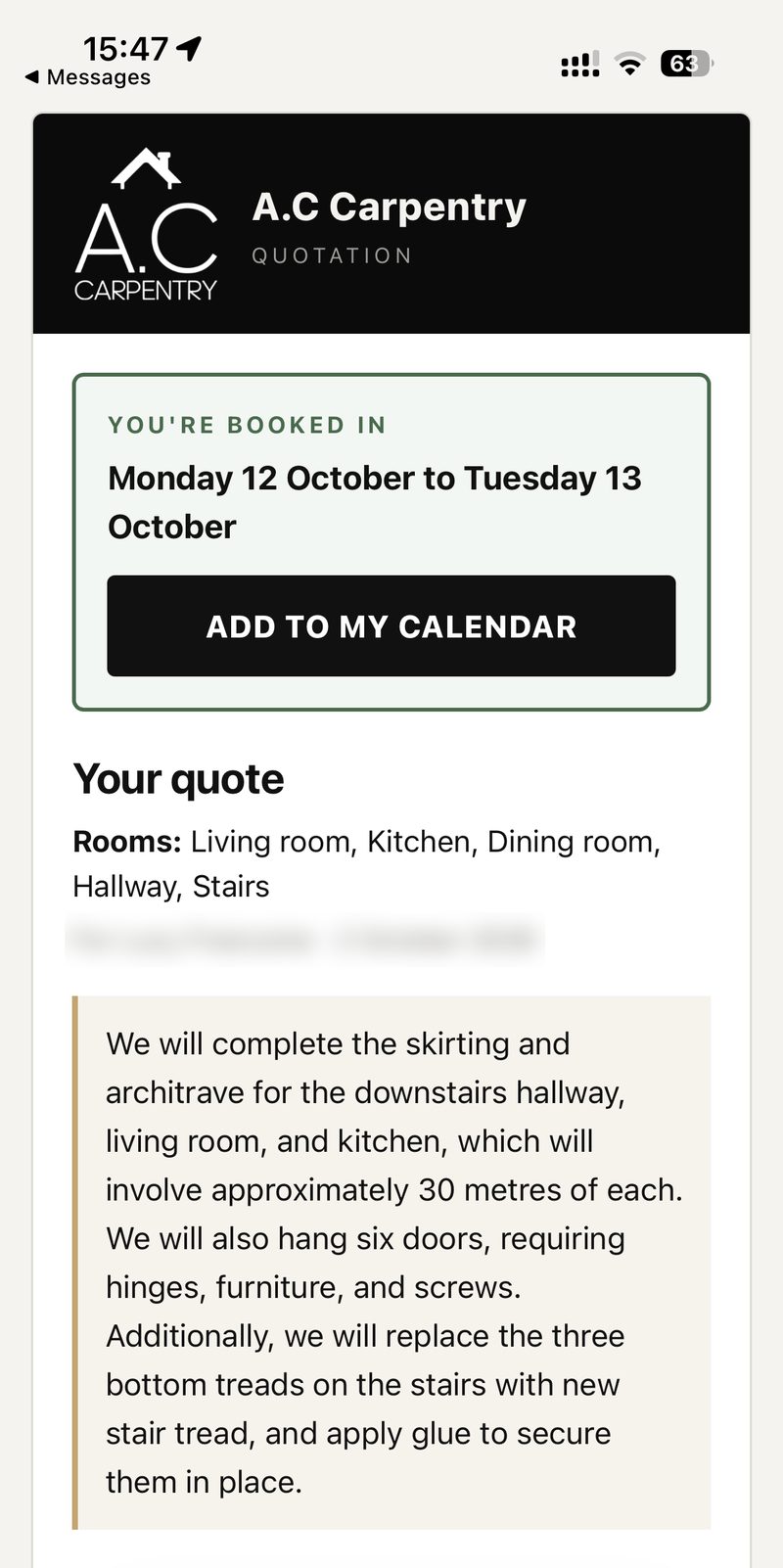
Once they accept, you get a phone alert on Pro and Full, and the customer sees your payment details, plus a payment link if you add one from your own bank or payment account. The deposit goes straight to you, and you mark it received. On Full, you can also set the start date on an accepted job. Their quote then shows that date with an "ADD TO MY CALENDAR" link. Accepting a quote does not reserve a date by itself, and the tool never takes your customer’s money. No paperwork, no middleman, and no quoting at 9 PM.
4. Send Invoiced Quotes Straight to Your Accounts
The quoting tool can link to the accounting software you already use, such as Sage or Xero. Once a quote is accepted and invoiced, it goes straight into your current accounts, with no re-typing and no double entry. That is one more piece of admin gone.
Rent or build
Should You Rent or Build Job Software?
When looking for job management software, tradespeople usually face two options: renting an off-the-shelf product or building a custom system.
Renting suits you if:
- You are a one-person team with a simple week.
- You just need to send quotes and little else.
- You want something cheap to start (though user fees often rise as you grow).
Building a custom system with Archline Digital Solutions suits you if:
- You want your customer data securely in your own account.
- You need the whole job tracked your way, from enquiry to final invoice.
- You want to send customized, beautiful quotes that feel tailored to your exact niche.
- You don't want a system that charges you more every time you add a new staff member.
Start
Get Your Evenings Back
You shouldn't have to choose between growing your business and having free time in the evenings. Whether you need a simple quoting tool or a full job management CRM tailored to your specific trade, the right software pays for itself by catching leads and saving hours of admin.
Five quote tools are already live with local tradespeople, including A.C Carpentry and K&R Group. We also work with Stone’s Exterior Cleaning in Chippenham.
Ready to stop typing quotes at 9 PM?
Archline Digital Solutions is based in Chippenham, Wiltshire, and builds tools (see our services and work) around how your business actually works.
Tell us what breaks when you get busy, and we’ll tell you if a quoting tool is enough, or if a custom build will earn its price.